Accounts Payable Platform
Payables
A modern accounts payable workflow designed around real-world invoice processing.
- Product Design · UX/UI · Frontend Engineering
- Take-home Challenge
- Next.js, React, TypeScript, Prisma, PostgreSQL, Tailwind CSS, Docker
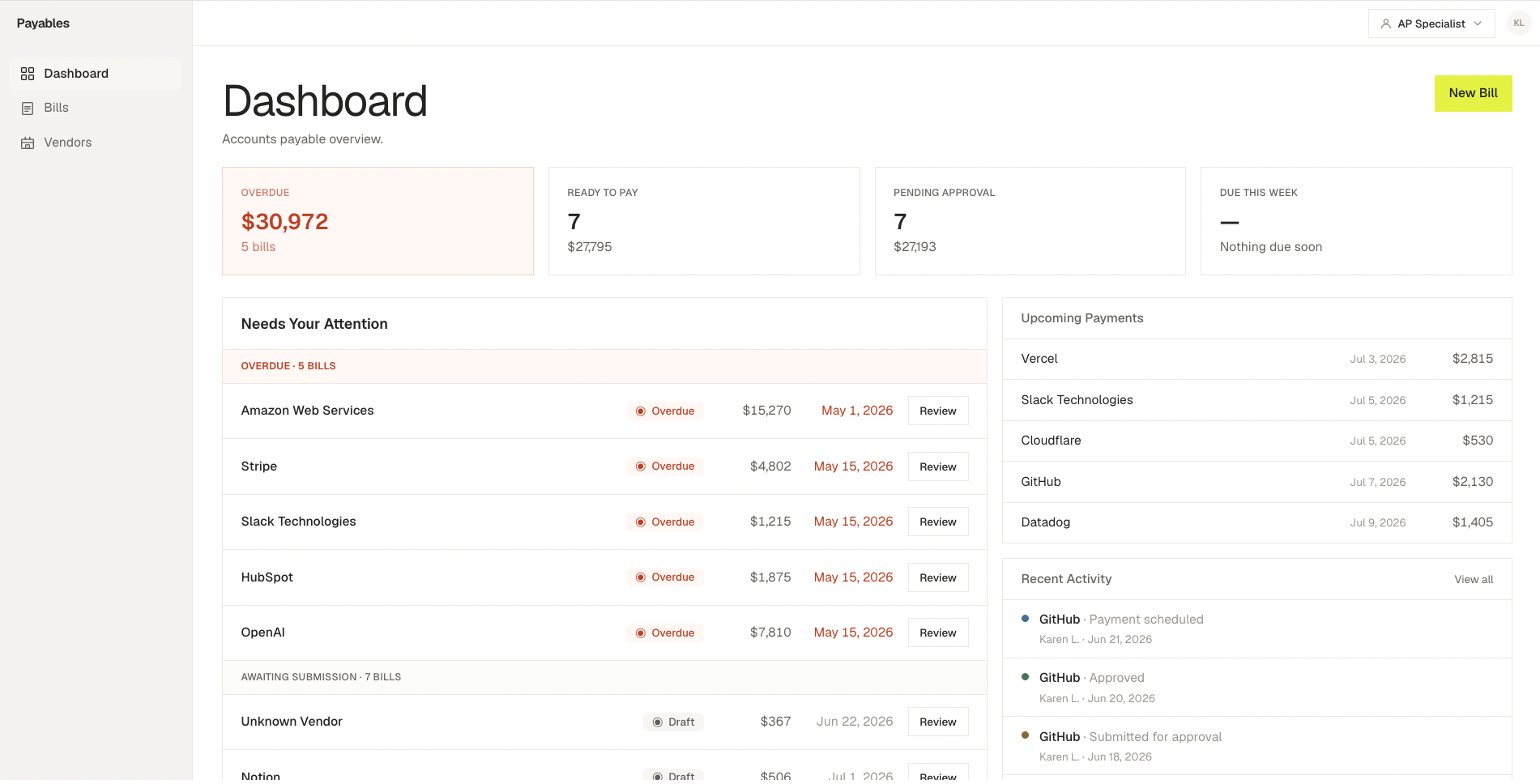
Overview
Most invoice management demos focus on CRUD operations. I wanted to model the actual workflow finance teams follow when processing invoices.
Instead of starting from a blank form, every bill begins with an uploaded invoice, moves through OCR extraction, manual verification when needed, role-based approvals, payment scheduling and finally payment confirmation.
The project combines product thinking, UX design and frontend architecture while keeping the implementation modular enough to replace demo services with production integrations.
The Problem
Accounts Payable teams rarely create invoices manually.
The real workflow usually looks like this:
- Receive invoice
- Extract information
- Review missing data
- Approve
- Schedule payment
- Mark as paid
Many demos skip these steps and jump directly into a form.
I wanted the experience to feel closer to a real finance product.
Goals
- Design an end-to-end invoice workflow instead of a CRUD application.
- Simulate OCR extraction while keeping the architecture production-ready.
- Support different user roles with different responsibilities.
- Build reusable UI primitives rather than page-specific components.
- Keep business logic isolated from infrastructure concerns.
Workflow
Upload Invoice
The workflow starts with drag & drop.
Instead of creating an empty bill, users upload an invoice.
A mock OCR service extracts:
- Vendor
- Invoice number
- Dates
- Line items
- Amount
Three different invoice templates simulate different OCR outcomes.
Review Missing Information
OCR isn't perfect.
One invoice intentionally fails to detect important fields.
Rather than blocking the workflow, the application highlights missing information and lets users complete it manually before submitting for approval.
This models how AP software behaves in production.
Invoice Review
The Bill Detail page places the original invoice beside the extracted information.
For the demo, each invoice references a mock PDF.
The architecture stores an opaque documentRef, allowing mock PDFs to be replaced later by real uploaded files with minimal code changes.
The document remains the source of truth while users verify:
- Vendor
- Invoice number
- Dates
- Line items
- Totals
Multi-role Approval Workflow
The application simulates three different roles.
AP Specialist
- Upload invoices
- Complete missing information
- Submit for approval
Manager
- Review invoices
- Approve
- Reject
- Request changes (with required reason)
Finance
- Schedule payments
- Mark invoices as paid
The dashboard automatically changes depending on the selected role.
Audit Trail
Every important action generates an activity entry.
Examples:
- Submitted
- Approved
- Rejected
- Changes requested
- Scheduled
- Paid
This creates a complete timeline of the invoice lifecycle.
UX Decisions
Creating invoices manually doesn't represent real AP software. The upload flow makes the experience feel much closer to production.
The invoice is the center of the review process. Extracted information supports the document—not the other way around.
Instead of showing an error, incomplete OCR extraction becomes part of the workflow. This creates a more realistic review experience.
Each role only sees the information relevant to their responsibilities. This reduces cognitive load while demonstrating different workflows on the same dataset.
Architecture
Several architectural decisions were intentionally made so the demo could evolve into a production implementation.
Upload pipeline
- Upload
- Mock OCR
- processInvoice()
- Draft Bill
- Review
- Approval Workflow
Document abstraction
Bills store an opaque documentRef.
The application resolves it through a single function.
Today it points to mock PDFs.
Tomorrow it could generate signed S3 URLs without changing any UI components.
Shared business logic
Business rules are centralized:
- Money calculations
- Activity mappings
- Missing field definitions
- Reusable server action error handling
This avoids duplicated logic across client and server.
Design System
The UI is built from reusable primitives:
- Button
- Card
- Dialog
- Badge
- Dropdown
- Tooltip
- SearchInput
- Toast
- VendorSelector
The goal was consistency rather than page-specific components.
Technical Highlights
- Next.js App Router
- React Server Components
- Server Actions
- Prisma ORM
- PostgreSQL
- TypeScript
- Docker
- Responsive design
- Accessible keyboard interactions
- Role-based UI
- Mock OCR pipeline
- Embedded invoice preview
Challenges
One interesting challenge was making the mock implementation feel realistic without coupling the application to demo data.
Instead of storing direct file paths, invoices reference documents through a resolver. The same approach was used for the OCR layer, allowing production services to replace the mock implementations without affecting the rest of the application.
Another challenge was modeling a believable approval workflow while keeping the UI simple enough for a take-home project.
What I'd Build Next
- Real OCR integration
- Cloud file storage
- Authentication and authorization
- Notifications
- Bulk invoice operations
- Pagination and server-side filtering
- Advanced approval policies
Outcome
The final result is more than a CRUD application.
It demonstrates how product thinking, UX decisions and frontend architecture work together to model a realistic Accounts Payable workflow while remaining maintainable, scalable and ready to evolve into a production implementation.